User invitation + card creationInvite a teammate and issue their card in one go.
SafariFileEditViewHistoryWindowFri 26 Sep 10:21
app.rho.co
DateMarch 2026PlatformWeb
Inviting a teammate and giving them a Rho card were two separate jobs, in two flows that didn’t know about each other. I brought them together, so an admin can invite someone and issue their card in one go, whichever flow they start from.
What's included
User management
Card issuing
Employee onboarding
Two flows that never met
Adding a teammate and issuing their card lived in separate flows, so every card depended on an admin finishing two jobs.
35%
of new teammates never got a card.
Every card not issued was spend that never happened.
45% spent on their card
20% have a card, no spend yet
35% never got a card
Approximate, recreated from Looker data. Non-admin teammates, newly invited.
Where the flows broke
Getting a new teammate a card meant bouncing between two flows that didn’t know about each other.
What it took to give a new teammate a card
CardsUsers
1Create a card
2Choose the employee
Not in Rho
3Invite a teammate
4Set their role
5Send the invite
Wait for them to join
6Start the card over
7Choose the employee
8Issue the card
8 steps across 2 flows, with the card started over from scratch.
One flow, from either door
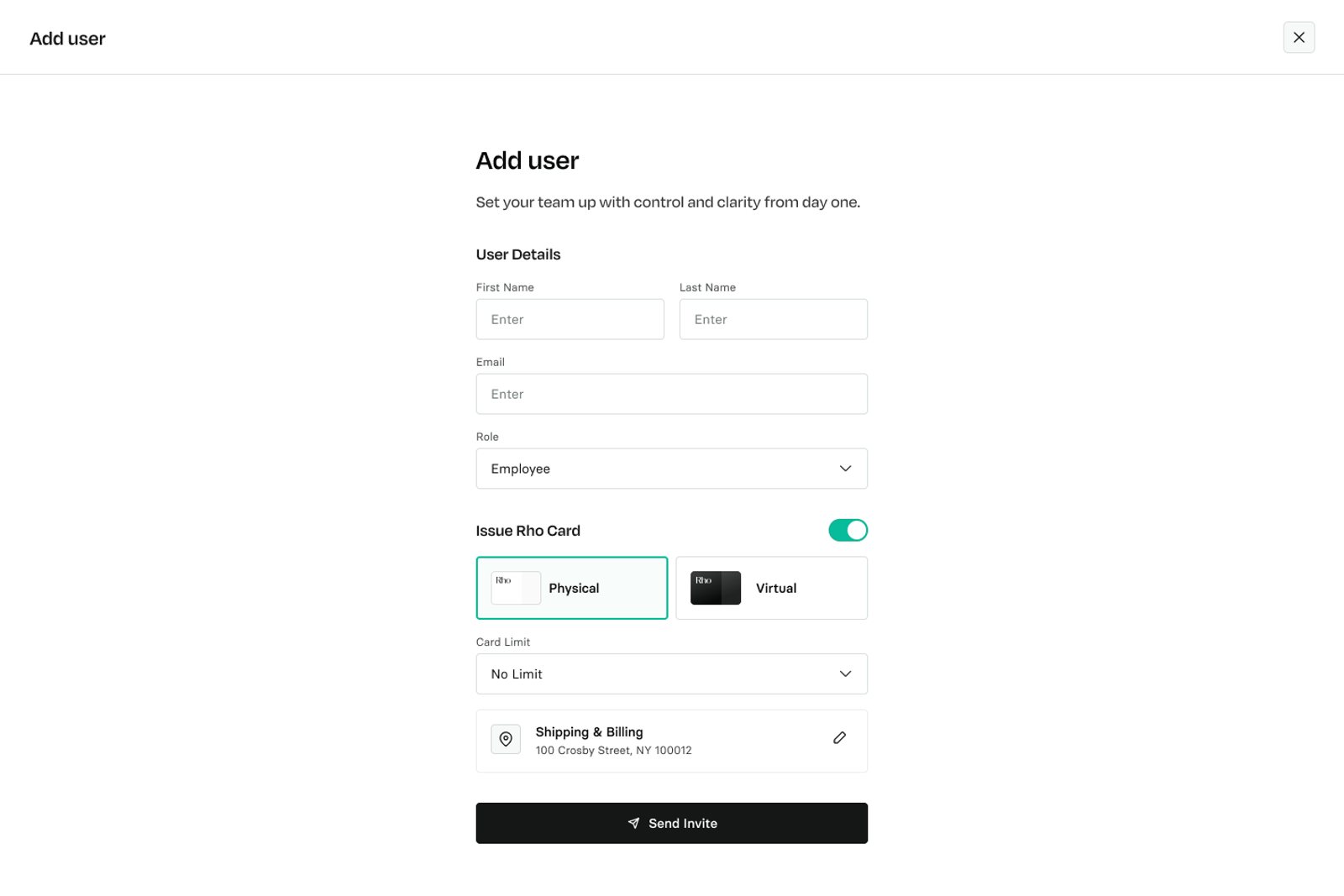
The invite got shorter, and a card became part of it. The same card setup now also lives in user onboarding.
Ask only what the admin knows
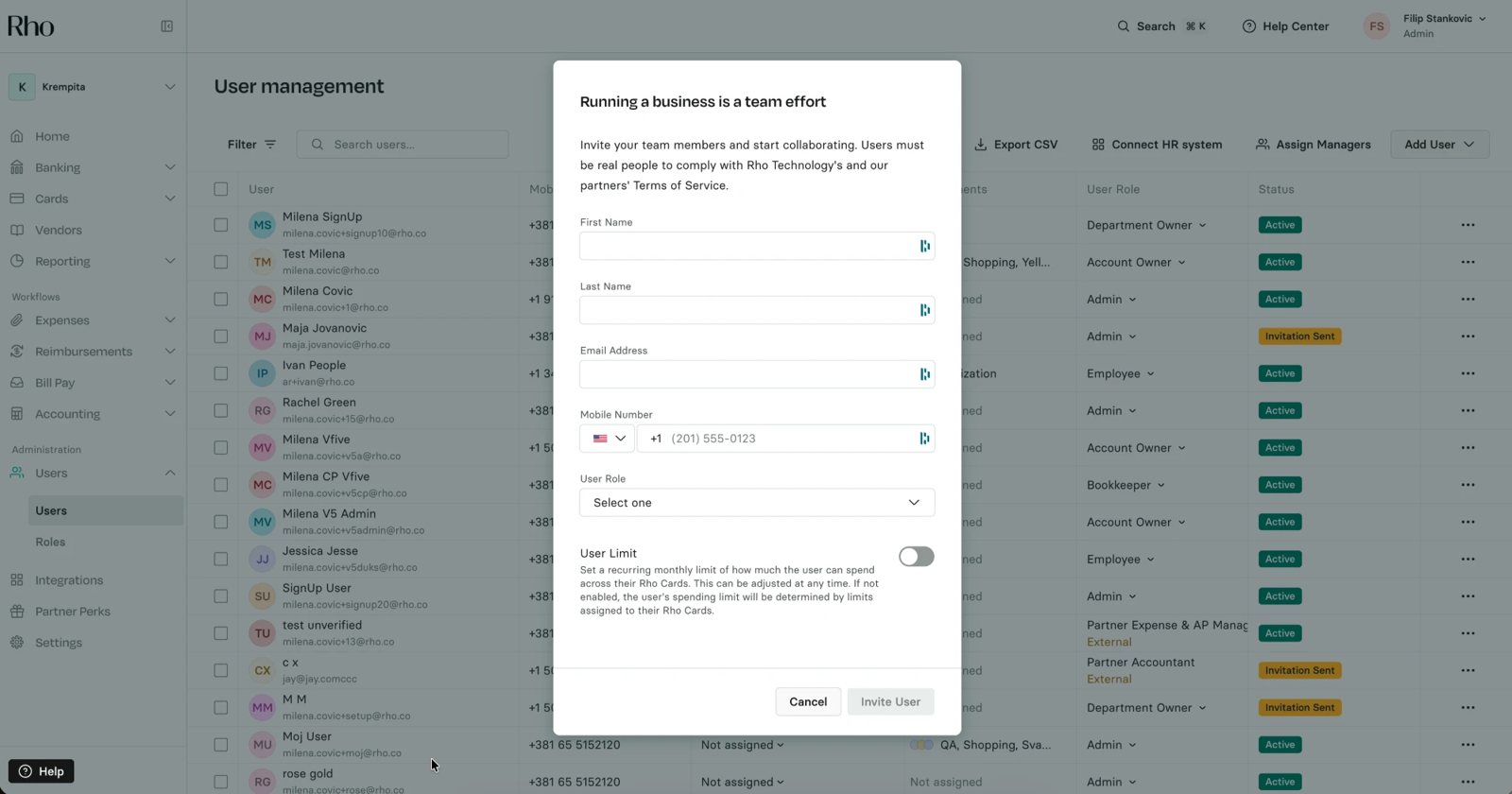
The old invite was a heavy modal that asked for a phone number and a user limit, details admins rarely had when adding someone. The new one is a focused page with just name, email, role and card. The invitee adds their own phone number when they join.
A first step toward removing user limits. The setting confused admins and caused friction, but core features depended on it, so it couldn’t go all at once. Taking it out of the invite started that work, and user limits have since been removed from the product.
From invite to card in hand
What the admin sees after sending the invite, and the card step the new teammate lands on when they join.
Add user
Add user
Set your team up with control and clarity from day one.
User Details
First NameEnter
Last NameEnter
EmailEnter
RoleEmployee
Issue Rho Card
PhysicalVirtual
Card LimitNo Limit
Shipping & Billing100 Crosby Street, NY 100012
Send Invite
Add user
Invitation sent
User gets access after accepting the invite.
ruth.watkins@rho.coEmployeeCan view and edit their own cards and transactions.
Physical cardShips as soon as this user joins [business name].
Invite Another UserBack to Users
Search⌘KHelp CenterRWRuth WatkinsAccount Owner
1st Physical CardConfigure Card
INACTIVECARD NUMBER•••• •••• •••• 7654mastercard
Card not activeThis card will be shipped once [name] accepts their invitation.Resend Invite
Monthly Spend
Available to spend $1,000.00Monthly limit $1,000.00
Spent $0.00Pending $0.00
Cardholder
RRuth WatkinsInvited
Card type
Physical
Billing Address
1738 Garrett Street, Apt 16, Newark, DE 1713
Card Transactions
FilterExport
CreatedMerchantStatusSettledAmount
No transactions yetTransactions made with this card will appear here.
Rho card
Your Rho card is ready. You can start using your virtual card immediately.
Virtualmastercard
Billing Address1738 Garrett Street, PA 19713Card Limit$2,000
Card Settings
NotificationsGet notified as soon as card transaction happens.
MobileSMSEmail
You can change card settings anytime.
Continue
Rho card
Your Rho card will be shipped as soon as you join [business name].
PhysicalCard will arrive in 3-5 business days.mastercard
Shipping Address 1738 Garrett Street, PA 19713Card Limit$2,000
Card Settings
NotificationsGet notified as soon as card transaction happens.
MobileSMSEmail
You can change card settings anytime.
Continue
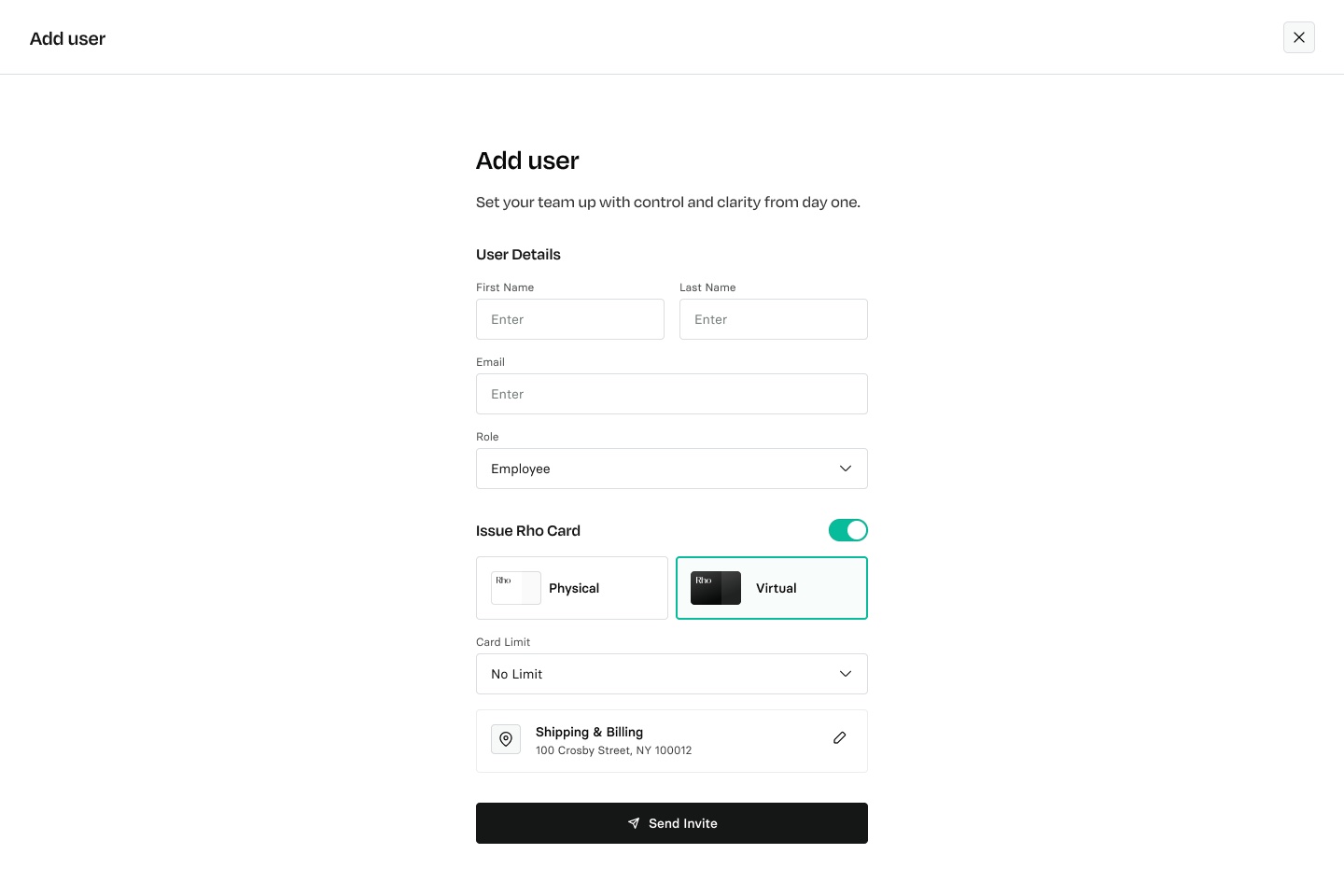
Name, email, role and card on one page.
Bookkeepers don’t get cards
The one role that can’t hold a card. Picking it switches the card off and locks it, so there’s nothing to undo.
RoleBookkeeperNot available for Bookkeepers
Card setup, inside user onboarding
Users added during onboarding get the same card step, so nobody finishes onboarding without one.
1User details
2Card configurationNew
3Review and invite
The reverse path, starting from Cards and inviting along the way, was handled by the Cards team.
Two calls that kept it simple
A card in the invite exists before its person does, so we had to decide what that card is while it waits, and where it lives. Both answers reuse what Rho already had.
Physical
InactiveActiveShipped
Invite sentCard createdJoins the businessCard activatesCard ships
A card exists once the invite does
No card is created until the invite is sent, and it stays Inactive, a status Rho already had, until the person joins the business. No new card states, and physical cards ship only after they join.
All CardsCardholderStatus
Ruth WatkinsVirtual •••• 7654Inactive
Alice ClarkPhysical •••• 2231Active
John DoeVirtual •••• 9012Active
Mia BrooksPhysical •••• 4410Active
One table for every card
Cards created before someone accepts their invite live alongside all the others, rather than in a separate table for not-yet-activated cards.
Cards in hand, and in use
The combined flow shipped in March 2026. With the card ordered as part of the invite, most new non-admin users had one immediately, and card spend rose with it.
80%+
of new non-admin users got a card right away. That’s about 20% more new teammates with a card than before.
Physical
Card spend by monthJune 2026
was the biggest month of card spend so far.
Jan
Feb
Mar
Apr
May
Jun
Jul
Aug
Partly the product growing, partly everyone on the team having a card to spend with.


 Looker